
logo

Build your own forms with
Captiva Flex

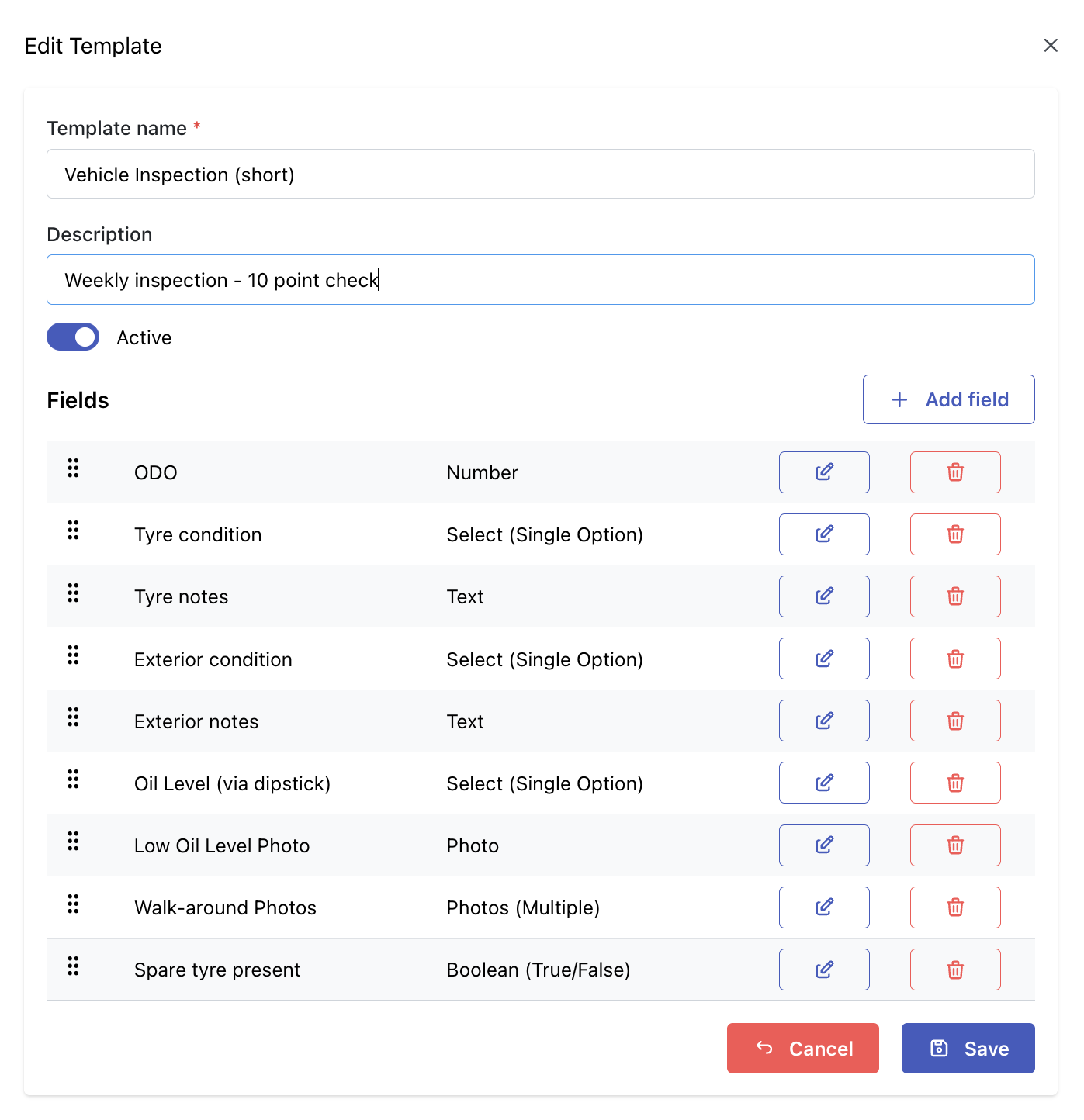
Flexible Input Types

flex configuration dashboard

Basic Inputs

  • Text
  • Number
  • Boolean
  • RFID/NFC

Dropdowns

  • Single
  • Multi-select

Media

  • Photo
  • Multi-photo
  • Signature

Date

  • Date
  • Date & Time
  • Time

Locality

  • GPS

Smart Field Logic & Validation

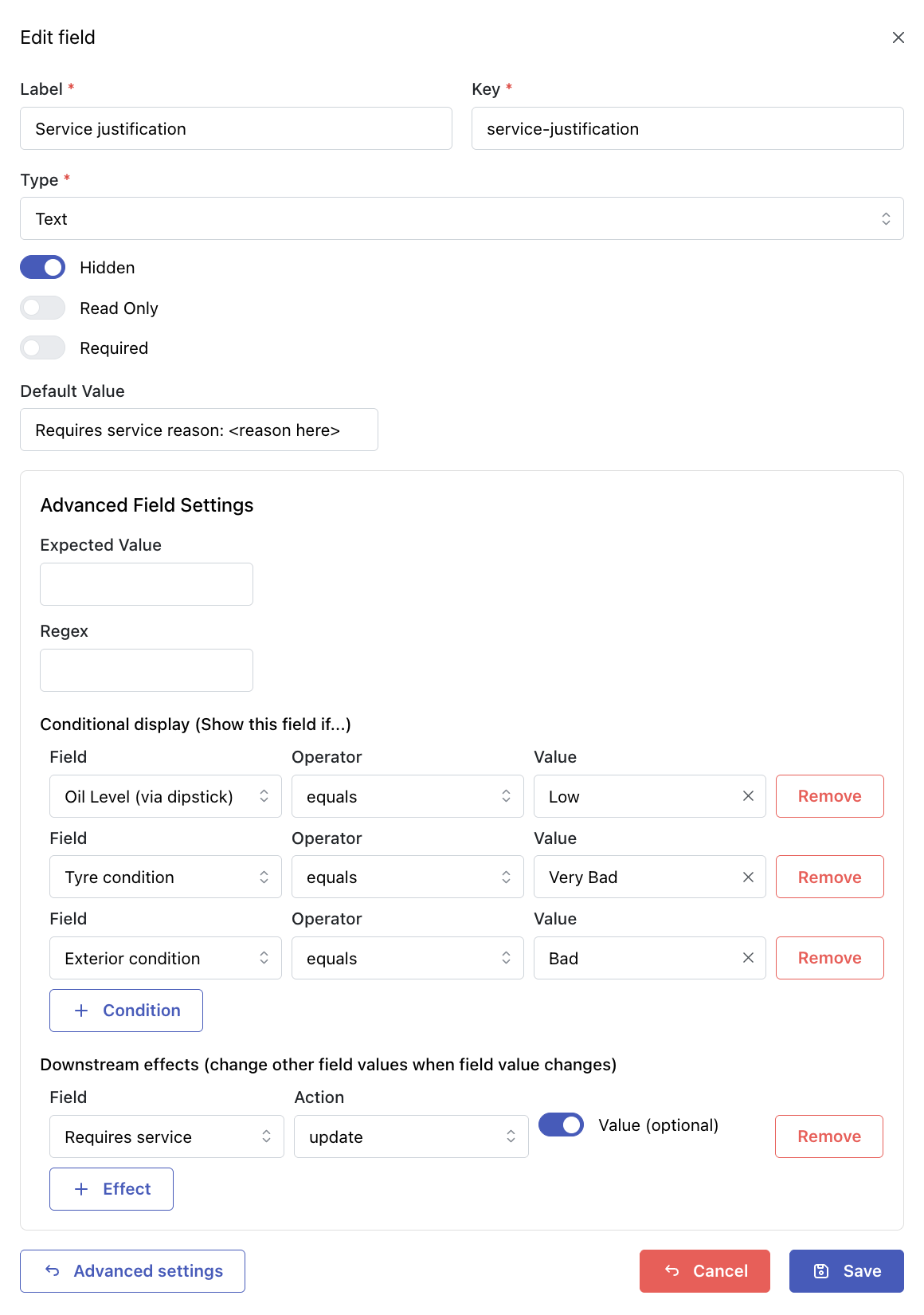
flex advanced configuration dashboard

Robust Validation

  • Validation on field and form level, including required fields, ranges, and custom rules

Inter-Field Logic

  • Reset or clear field values based on other field values

Show/Hide Fields

  • Show or hide fields based on another field values

Defaults & Reusability

  • Default values, easy reorder, reusable dropdown options
  • AI chat for pressing business questions and configuration support

Reliable

Offline Capture

  • Capture data anywhere, even without internet

Auto Sync

  • Syncs automatically when online

Field Reliability

  • Reliable for field work and remote locations
  • Instant WhatsApp notifications when data is captured

Powered by AI Chat

Captiva Flex includes AI chat to help teams ask better business questions and move through configuration support faster.

Ask

Ask operational questions and get direct answers based on your captured forms and records.

Explain

Understand field outcomes, exceptions, and trends without digging through raw data.

Assist

Use AI chat for practical configuration support in everyday admin workflows.
AI Guardrails

  • Role-based access is respected.
  • Answers are grounded in your captured data.
  • Critical changes can stay human-approved.

Explore Our Other Products